
Creating API Keys for Anything
Tal explains how to keep moving when a software vendor won't hand over an API key: capture the network traffic, turn the website's own backend calls into a working integration, and reserve browser automation for the brittle last resort.
Here's a situation that comes up more than you'd think. You're paying a software company for a service. Your customer data, your business data — it's all sitting inside their system. And you go to them and say, "Hey, I'd like an API key so I can actually do something useful with my own data." And they get… weird about it.
That's where I've been the last couple of weeks. I'm working with a company whose data lives inside a CRM from a provider you've never heard of. We asked for an API key to finish a project, and it turned into two weeks of waiting, followed by "we don't really do this very often, and we'd like to talk to you first."
Okay. I'm happy to talk. But I'm not happy to wait.
So let me tell you what I actually did — because you can do it too, for basically any website.
Every website already has an API
First, the mental model. Under every website, every piece of software, there's a programmatic interface running the whole thing. When you click a button and something happens, that's the backend API doing its job. So the question is never "does this software have an API?" It always does. The only question is: will they give you a key to it?
Most modern SaaS companies will. It's becoming the standard, and honestly it's expected now. But some older players and incumbents will fight you on it. The good news is you don't always need them to cooperate — because if you have valid login credentials (and you do, you're a paying customer), you can usually work around the locked front door.
And I'll say the quiet part out loud: that's your data. You're paying them to hold it. In my book, you get to do what you want with it.
The workaround: capture the traffic, hand it to your agent
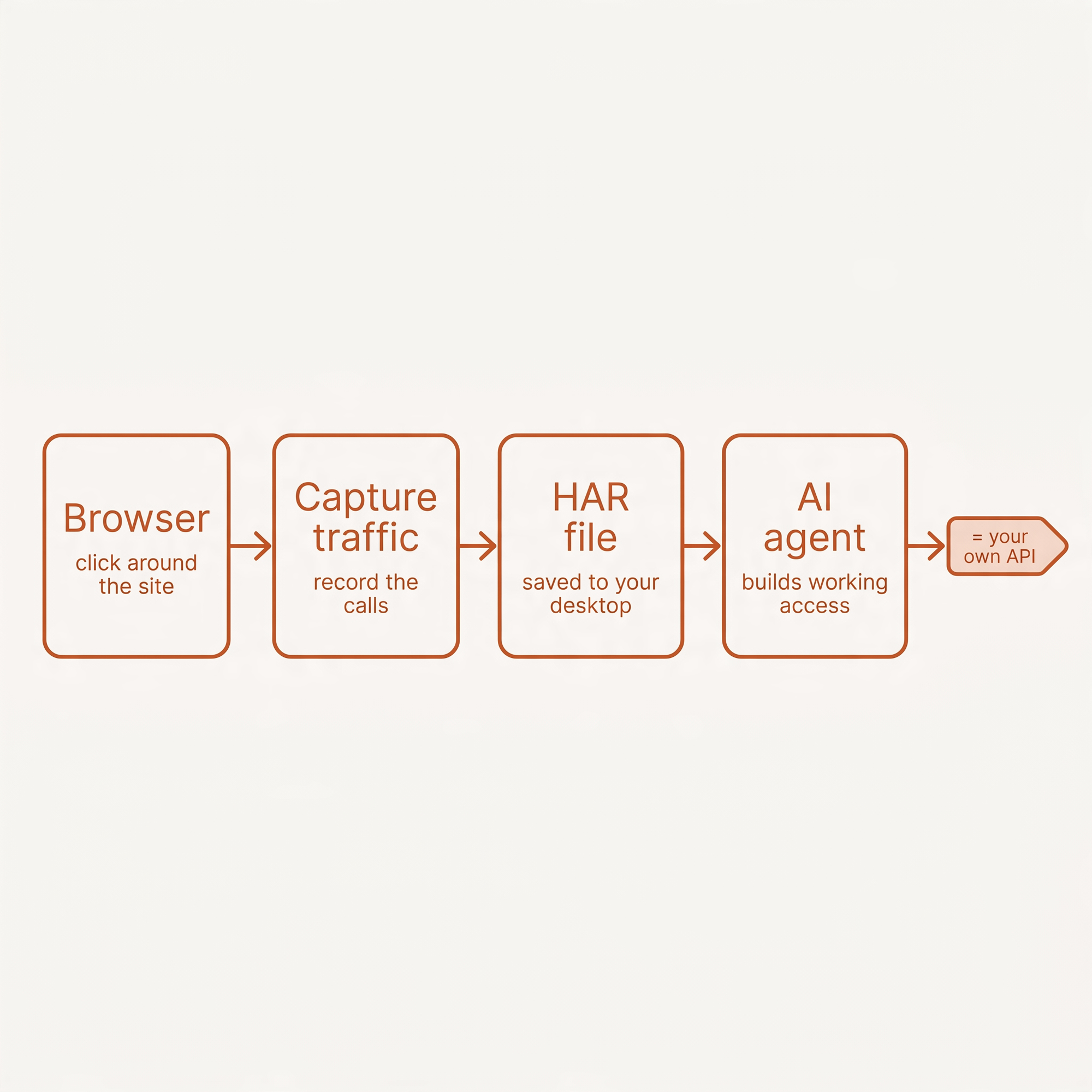
Here's the move. Open your browser — or a tool like Proxyman — and start capturing network traffic. There's a button you click, and the browser begins logging everything happening under the hood. Then you just click around the site like a normal human: open the pages you care about, load the data you want. All of that traffic gets recorded.
You save it as a HAR file — an HTTP archive — and drop it on your desktop. Then you tell your AI agent: "The file's on my desktop. This is the problem we've been talking about — figure it out."
The agent reads the file, sees exactly how the site talks to its own backend, pairs that with your login credentials or cookies, and builds its own method of programmatic access. Which is, functionally, exactly what an API key would have given you. You're off to the races.
Two weeks of waiting on a vendor, solved in an afternoon.
I'd still rather have the real key
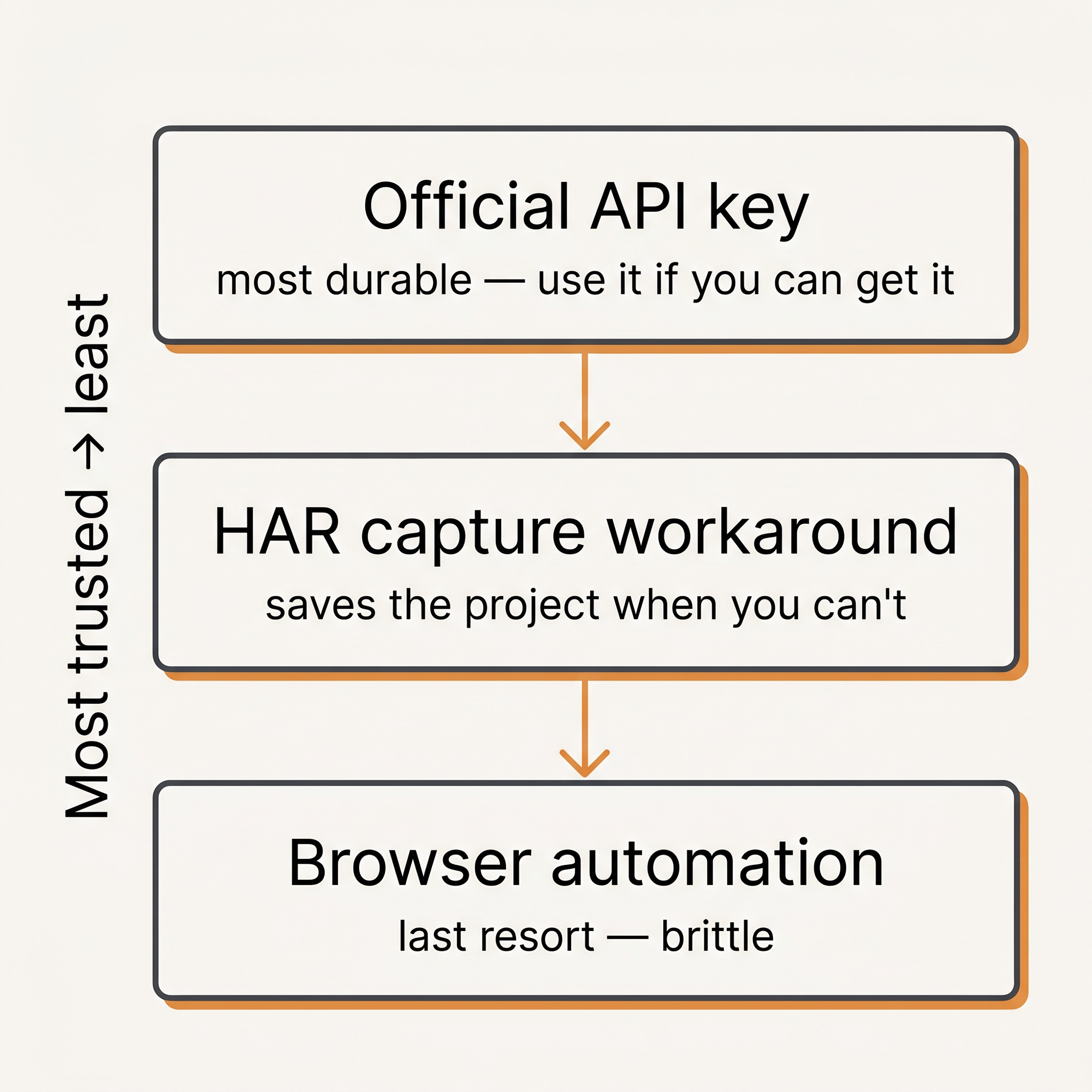
Now, I want to be straight with you, because I don't like overselling these tricks. If they offered me an official API key tomorrow, I'd take it. It's the more sophisticated, more standard, more hardened path. It breaks less. The workaround I just described? It might break once a month when the site changes something — and then it's a small fire I have to go put out. Not a big deal, but it's a fire.
So official key first, always. The workaround is what you reach for when the official path is slow, blocked, or just plain weird — and you can't afford to sit still.
And the last resort: browser automation
There's one more method, and I'm telling you about it mostly so you know where the line is: browser automation. Your agent literally opens a browser — sometimes a headless one you never even see — clicks around, takes screenshots, reads them, and decides what to click next.
This is the most brittle thing in the toolkit. A good example of when you'd actually need it: automatically posting to a personal Facebook page. Facebook hands out API keys for business pages all day, but personal pages they lock down hard — they don't want that automated. Browser automation can do it anyway.
I call it brittle because Facebook will eventually patch whatever their bot detection catches, your bot breaks, and then it finds another way around. It self-heals about as often as it breaks. You might also get your account banned. For my own personal stuff, my risk appetite is moderate-to-high — I'm just having fun seeing what these tools can do. With other people's stuff, it's a lot lower. Know which situation you're in.
So there you go — three concrete methods, in order of how much I trust them: official API, traffic-capture workaround, browser automation. The middle one has saved me a ton of time and money, and now it's yours too.
If you want the tools and methods I actually trust, that's what we do at lvluplocal.com — and it's exactly the kind of thing we go deep on in the cohort.
Build with the tools I trust → lvluplocal.com